 We Split
Public beta on iPhone
Share costs.Keep it fair.
Who paid, who owes and how much, for couples, housemates, trips and friends. Exact to the cent, in any currency, even offline.


Free public beta on iPhone through TestFlight. Android is on the way.
- Every currency
- Works offline
- No ads, no tracking
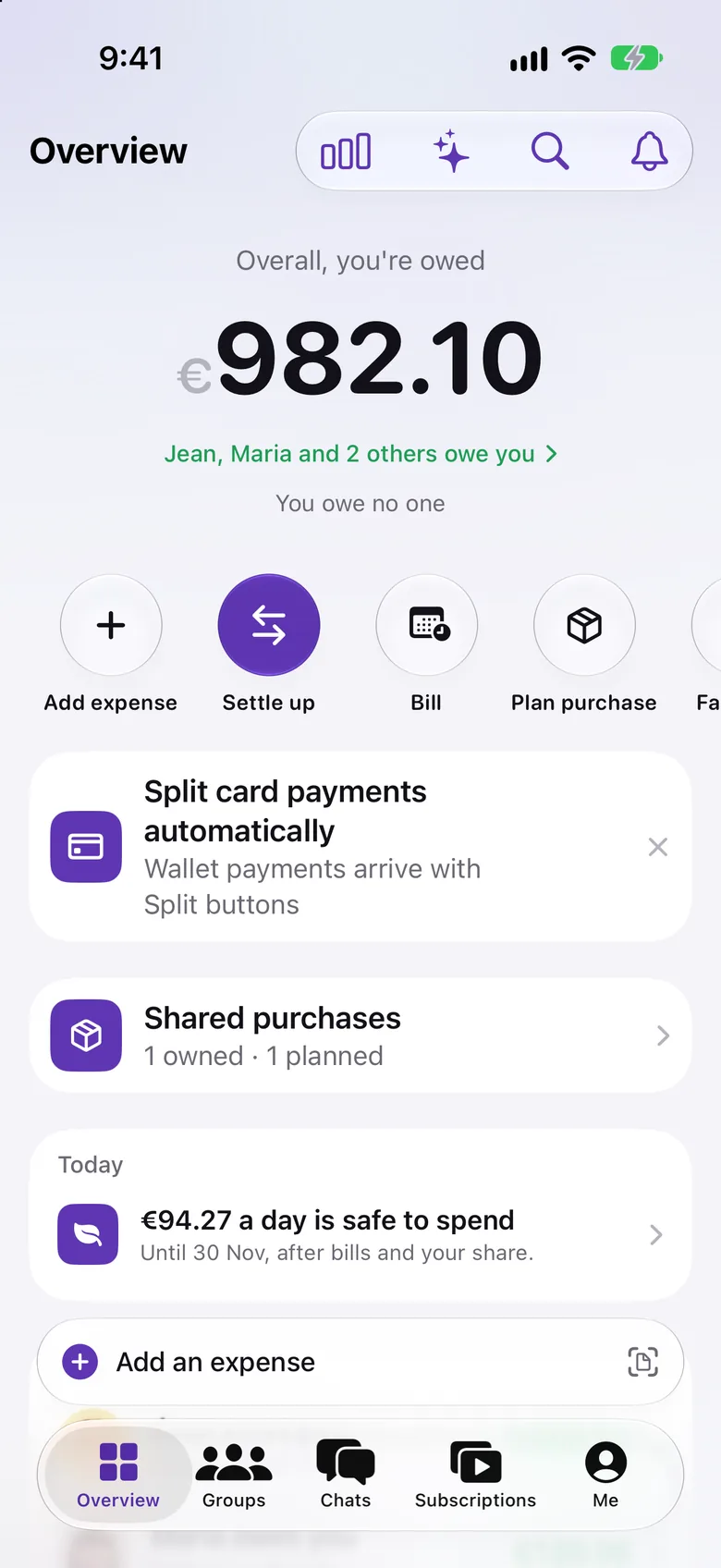

It doesn't just keep count.
It thinks for you.
Most split apps are a list you fill in by hand. We Split reads what you type, notices what you pay for and tells you what to do next.
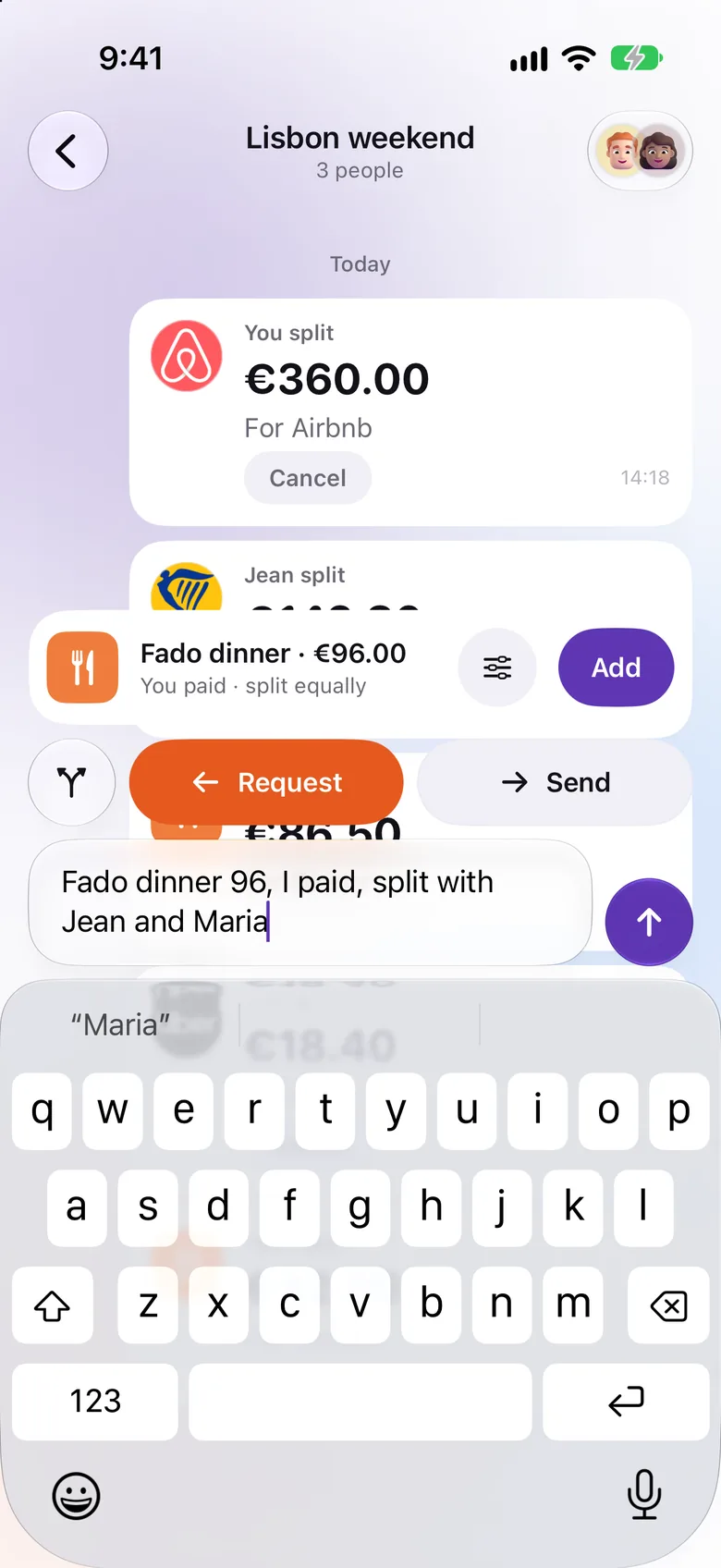
Smart entry
Say it like you'd text a friend.
“Fado dinner 96, I paid, split with Jean and Maria.” We Split picks out the amount, who paid, who's in and the category, and shows the expense before you add it. English or Portuguese, any amount format.
- Understands names, amounts and payers
- Brand logos recognised on their own
- Scan a receipt or a PDF invoice instead
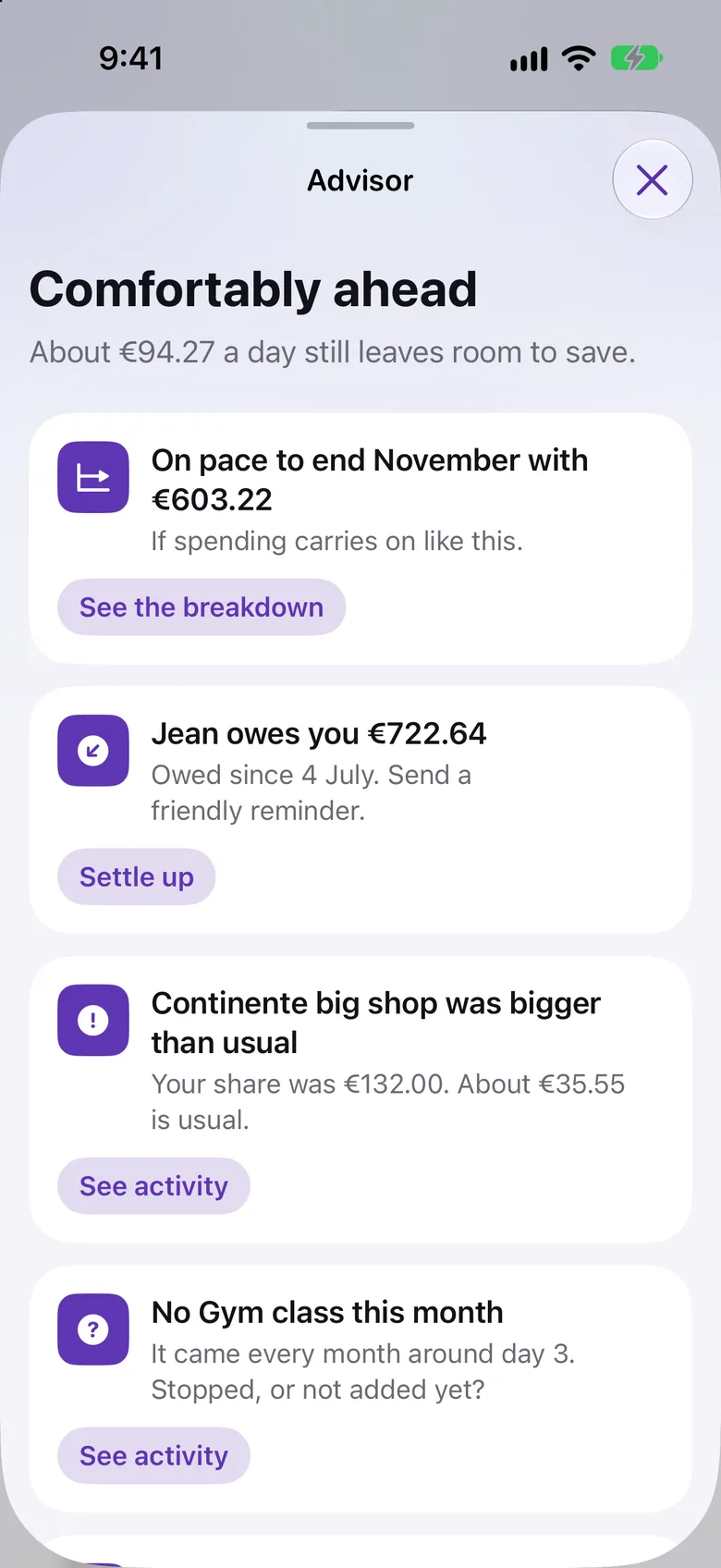
Advisor
A money coach that reads your shared life.
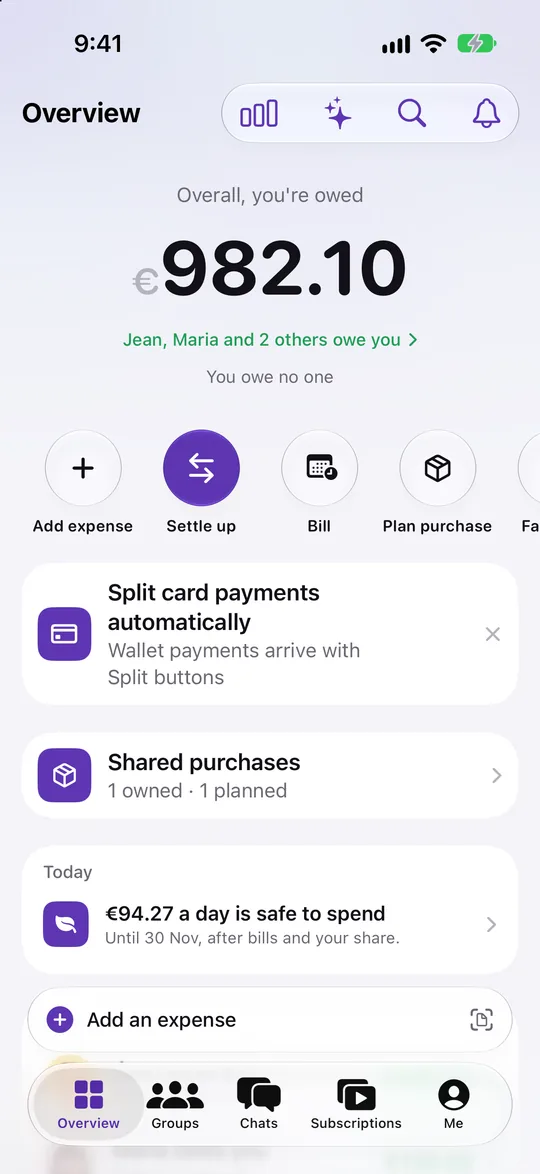
It spots the grocery run that was three times your usual, the gym class that stopped, who has owed you since July and what is safe to spend each day until payday.
- Unusual spending flagged with the usual amount
- Forgotten habits and missing bills
- Safe to spend today, after bills and your share
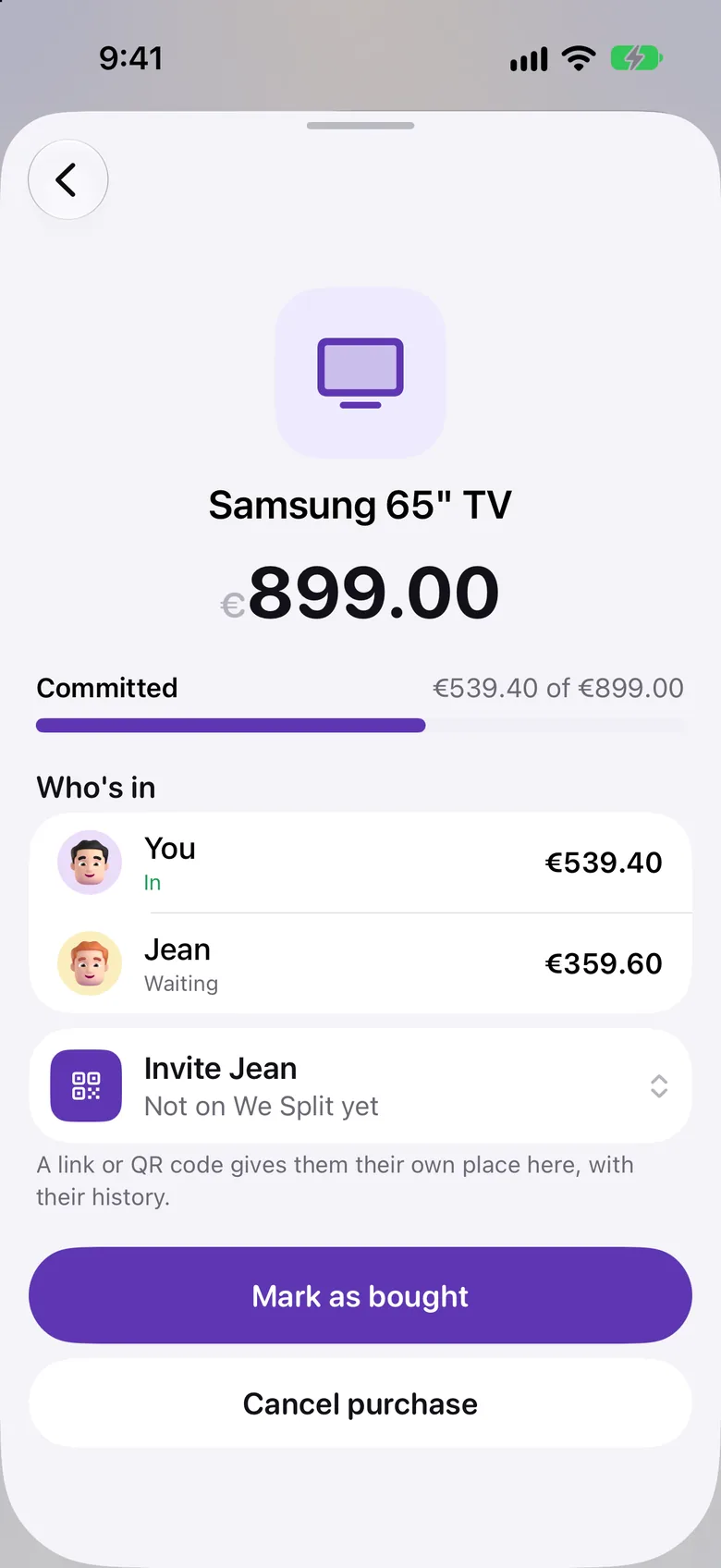
Shared purchases
Buy big things together, and stay fair after.
Plan a TV or a dishwasher, everyone commits their part, and the app keeps who owns what. If someone moves out, it works out their share at fair value.
- Pledges, ownership percentages and receipts
- Fair buy-out when someone leaves
- An agreement PDF you can keep
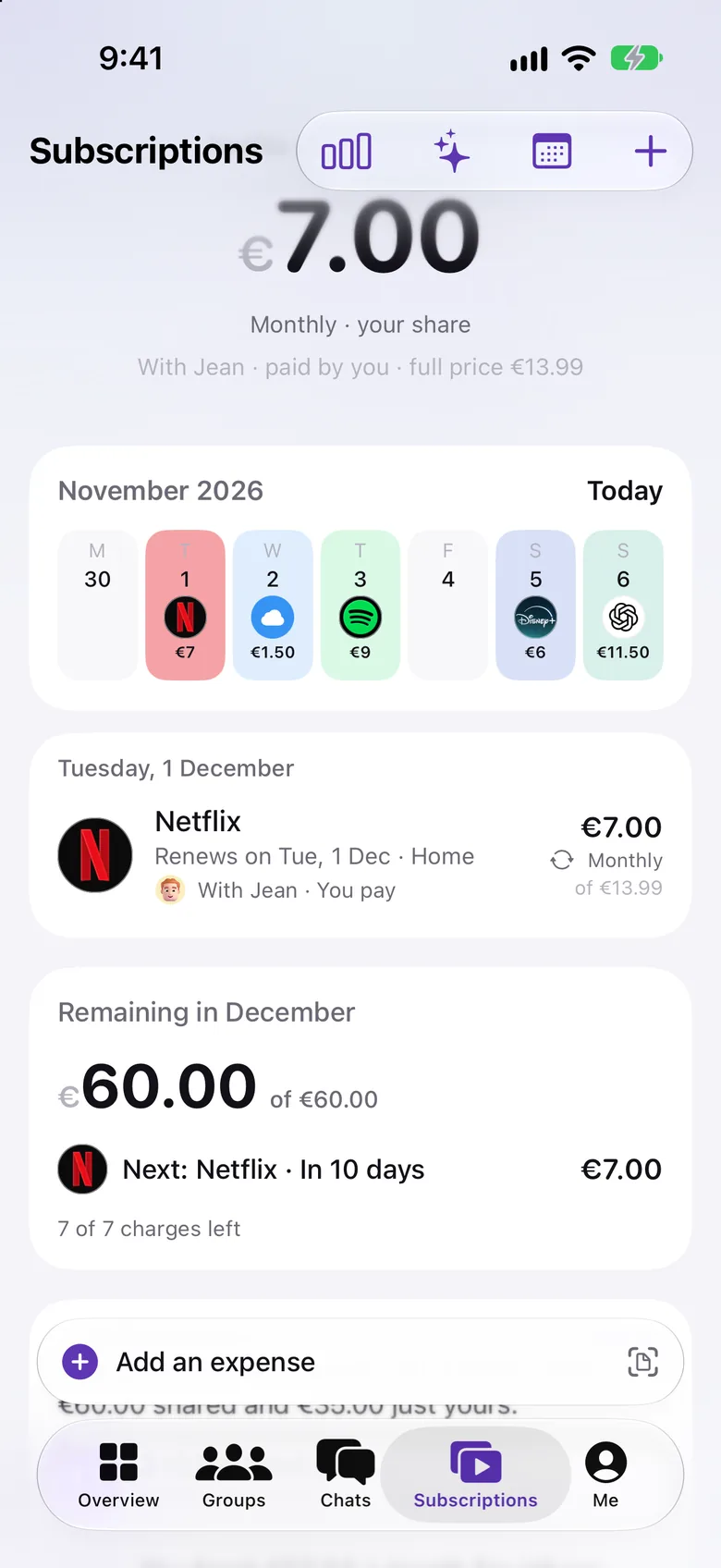
Subscriptions
Every shared subscription, on one calendar.
Netflix, Spotify, iCloud and the rent on the day they renew, with each person's share, a heads-up before every charge and a nudge to cancel what nobody uses.
- Official logos, your share and the full price
- Reminders before renewals and trial ends
- What's left to pay this month
What you get that others don't.
Everything a shared wallet needs, and it thinks ahead.
Not another list of numbers. We Split notices your Apple Pay purchases, suggests who to split them with, splits it the way you agreed and tells you who pays whom.
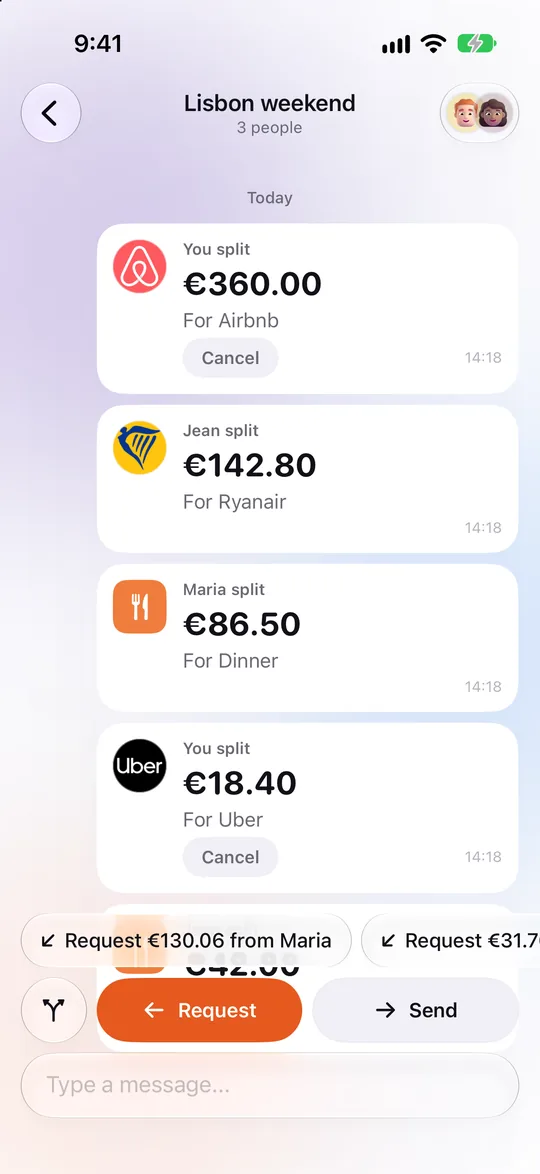
Group chat
Type it like a message.
Write what happened. We Split turns it into an expense with the right shares. Money bubbles let you split, request or send right in the thread.
paid 86.50 for dinner
You paid · Split 3 ways
Try one, then press Enter
Five ways to split
Split it the way you agreed.
Everyone pays the same.
- YYou€400.00
- JJean€400.00
- MMaria€400.00
Rent€1,200.00
Subscriptions
Shared bills, on one calendar.
With each person's share, a “still using this?” check-in and a reminder before they renew.
December 2026
Your share this month €481.80
Netflix Premium
14 December · Reminder the day before
€6.66
your share · €19.99
Any currency
Paid in yen, settled in euros.
Each group keeps its own currency. The rate is always shown, never applied behind your back.
JP¥2,400
1 JPY = 0.00597 EUR · Rate shown before you save
Settle up
One tap, the exact amount.
Pay back with MB WAY, Revolut or a bank transfer, then mark it paid. We Split never touches your money.
- YMYou → Maria€28.84
- JYJean → You€12.10
- DMDaniel → Maria€7.45
All square in 3 payments
Offline
No signal, no problem.
Add expenses on a plane or abroad. Everything syncs when you're back.
Private
Your income is yours alone.
Fair Split shows the group only the percentages, like 60/40.
Capture
From a receipt or a PDF.
Point the camera at a receipt or pick an invoice, and the amount is filled in.
Apple Pay
Card payments split themselves.
Purchases arrive on their own with a “Split with Jean” button on the notification. It learns your rules, and you can undo any of them.
Advisor
A calm voice on every tab.
Who to settle with first, what's safe to spend each day, and when something is higher than usual.
Predictive categories
Filled in before you ask.
Groceries, rent, fun: We Split learns from your history and picks the category for you. A sort queue clears the rest in seconds.
Still using this?
Subscriptions that don't sneak up.
Check-ins on things you forgot you pay for, and cancel reminders so a free trial stays free.
Shared purchases
Big buys, written down.
Plan a TV or a dishwasher together, see who put in what, and keep a co-ownership agreement PDF.
Join anywhere
A link, a QR code, a guest spot.
Invite in a tap. Someone you added earlier can claim their spot and keep their history. Dates, numbers and money follow your region.
One app for every shared wallet.
Each group keeps its own people, currency and history. Switch between them in a tap.
Home
Flat on Rua da Rosa
€1,318.98
this month
- Rent split by income
- Utilities on the calendar
- Groceries from the chat
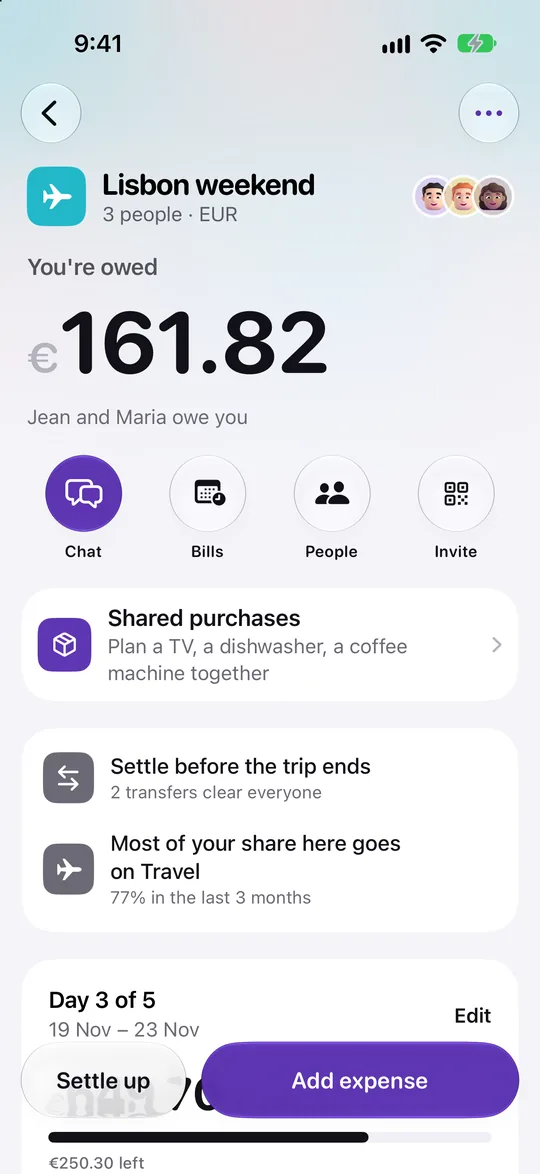
Trip
Lisbon weekend
€649.70
of €800 budget
- A budget and a daily view
- Expenses in any currency
- Settle up when you're home
Friends
Friday dinners
€86.50
last dinner
- Log it like a message
- Uneven bills to the cent
- Pay back with MB WAY
Every euro, to the cent.
When a bill doesn't divide evenly, the spare cents go to someone, never into thin air. Try it.
- 1Shares always add up to the total.
- 2Spare cents go one each, never lost.
- 3Same rule for every split method.
Try it
- YYou paid€33.34
- JJeanowes You€33.33
- MMariaowes You€33.33
Adds up to exactly €100.00. The spare cent went to the first person.
Have a look inside.
Real screens from the app, with the sample data we test with. Tap one.
Questions, answered.
Anything else? Write to us and a person answers. [email protected]
Does We Split move money?
No. It records who paid and who owes. You settle up however you like (MB WAY, Revolut, a bank transfer or cash) and mark it paid.
Can a group use more than one currency?
Yes. Each group has its own currency and an expense can be in another one. Exchange rates are always shown and never applied without you seeing them.
Does it work offline?
Yes. Add expenses on a plane or abroad without data. Everything syncs when you're back online.
Who can see my income?
Nobody else. Incomes are end-to-end encrypted: only your own devices can read them, not us and not your group. Your group only sees the percentages that come out of them, like 60/40.
How do I join a group?
Someone in the group sends you an invite link. Open it on your iPhone with We Split installed and you're in, with the group's history.
Is there an Android app?
We Split is on iPhone first. Android is on the way. Tell us and we'll let you know the day it's out.
Is my data safe?
Traffic is encrypted, data is stored in the European Union, and only members of a group can see that group. No ads, no tracking, no selling data.
Can I delete my account?
Yes, from the app, any time. You can export everything first.
Pay your share, to the cent.
We Split is in public beta on iPhone. Join with TestFlight in a tap, it's free.